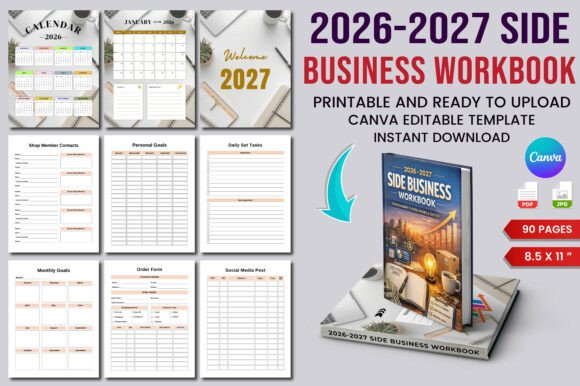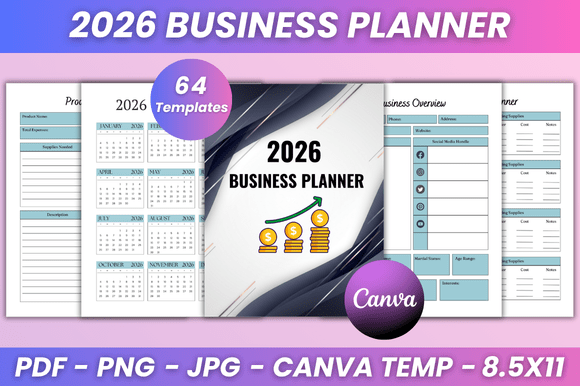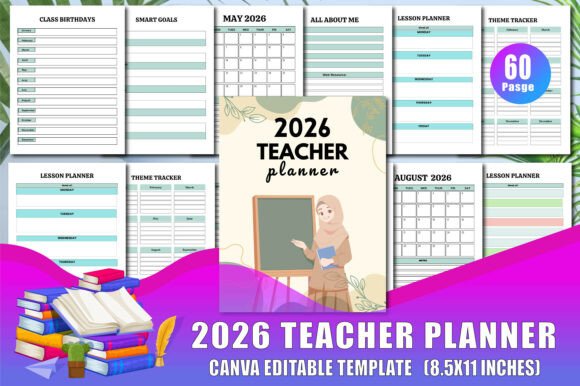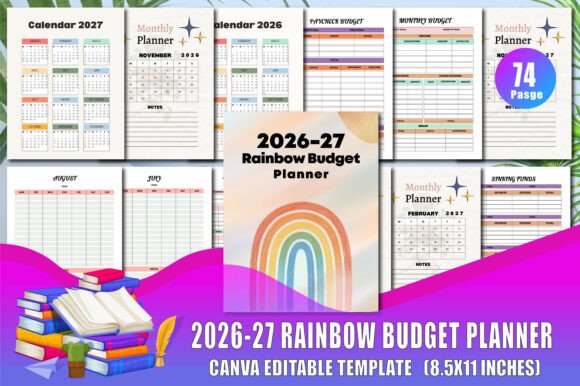
2026-27 Digital Business Planner for Ambition
If you’ve ever felt the frustration of juggling scattered sticky notes, forgotten deadlines, and a dozen half-filled notebooks, you’re not alone. The 2026-27 Digital Business Planner is designed to bring order to chaos — not by forcing you into a rigid system, but by offering a flexible, editable Canvas that adapts to how you actually work. Whether you’re a freelancer mapping out quarterly goals, an entrepreneur tracking multiple income streams, or a marketer planning content calendars, this planner gives you a ready-to-upload KDP interior that you can customize without touching a single line of code.
What makes this planner stand out is its dual-year coverage (2026 and 2027) combined with a wide range of trackers, logs, and vision boards — all inside a Canva template. You can add, remove, or tweak colors, shapes, and text. The result is a print-ready PDF that looks professional on Amazon KDP but feels personal because you designed it.
What’s Inside the 2026-27 Digital Business Planner?
This isn’t just a calendar with extra pages. It’s a comprehensive system that includes monthly spreads, weekly planners, goal-setting tools, and specialized trackers. Here are the core components you’ll find:
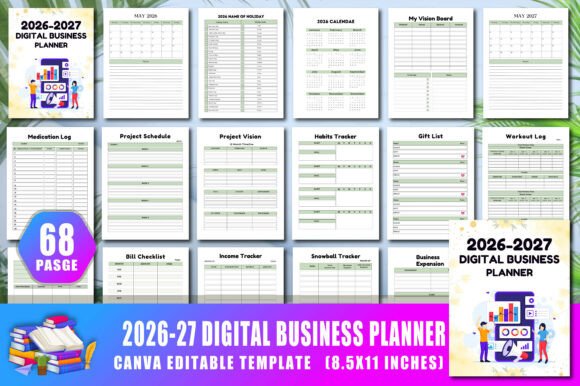
- 2026 and 2027 Calendars – Year-at-a-glance plus individual monthly pages from January to December for both years, complete with holiday names.
- Daily & Weekly Planning – Daily plan pages, weekly schedules, and weekly meal planners to keep both work and personal life on track.
- Goal & Budget Tools – Monthly budget sheets, daily goals, “My Goals” sections, and a vision board (plus a second “My Vision Board” page).
- Trackers & Logs – Saving tracker with saving goals, a list of books to read, medication tracker and log, workout log, and a gift list.
- Bonus Pages – “This Book Belongs To” page, a dedicated “Belongs to Page,” and a to-do list section.
All these elements are embedded in a single Canva interior file that you can upload directly to Amazon KDP. You can edit colors, shapes, text, and even completely rearrange sections. The high-quality print-ready PDF output ensures your customers receive a crisp, professional product.
Why a Two-Year Digital Business Planner Matters
Most planners are either annual or perpetual. The 2026-27 Digital Business Planner bridges 2026 and 2027, which is especially useful for long-term projects, fiscal year planning, or businesses that operate on a July–June cycle. You don’t have to switch products mid-year. For example, a content creator can map out a year-long editorial calendar starting in April 2026 and seamlessly continue into 2027 without losing momentum.
Having both years also helps with trend analysis and strategic planning. You can review Q4 of 2026 while planning Q1 of 2027 on the same platform. It’s a small but powerful advantage when you’re running a business where execution depends on foresight.
Real-World Applications Across Different Roles
This planner isn’t a one-size-fits-all template — it’s a foundation you can adapt. Here are a few scenarios:
- For entrepreneurs and business owners: Use the monthly budget and saving tracker alongside the weekly schedule to manage cash flow. Set quarterly goals in “My Goals” and track progress using the daily plan pages. The vision board helps you visualize milestones like product launches or expansion targets.
- For freelancers and creators: The weekly planner becomes your client project timeline. The book list is perfect for research or leisure reading. The medication tracker might not apply, but you can replace it with a habit tracker or content tracker by editing the Canva file.
- For educators and bloggers: The year calendars with holidays help you plan classes, posts, or promotional campaigns around key dates. The gift list can double as a resource list for giveaways or sponsored content ideas.
- For publishers and KDP sellers: This template is ready to upload — simply customize the colors and fonts to match your brand, add your logo, and publish. It’s an instant low-content book that fills a clear niche: professionals who want a digital-first planner they can edit themselves.
Usability and Customization: The Canva Advantage
The 2026-27 Digital Business Planner is built inside Canva, which means you can modify every element. If you find the color palette too muted, change it to something bold. If you need more daily plan pages, duplicate them. If the holiday names don’t fit your region, update them. This flexibility is why many KDP sellers prefer Canva-based interiors over fixed PDFs.
From a user experience perspective, the file is organized into logical sections. The “This Book Belongs To” page and the “Belongs to Page” give a personal touch. The daily and weekly layouts are clean — no clutter, just structured grids you can fill in. The saving tracker and medication logs are simple enough for quick daily entries, which encourages consistent use.
Print-Ready and Amazon KDP Ready
One of the biggest headaches when selling on Amazon is formatting. This planner includes print-ready PDF specifications — proper bleed, trim, and margins. You don’t need to worry about resizing or image quality. Just upload the PDF to KDP, set your price, and go. The high-quality vector elements mean no pixelation, even if someone prints it at home.
Consider this: a buyer looking for a 2026–2027 planner will likely search for specific terms like “two-year planner” or “digital business planner Canva interior.” By offering that exact combination, you increase your chances of conversion. Plus, editable Canva interiors tend to reduce returns because customers can adjust the layout to fit their preferences — they feel ownership.
Practical Considerations Before You Buy or Create
Before you upload this to KDP, here are a few tips:
- Check the link hierarchy: Ensure all sections are connected logically. For example, the weekly schedule should reference the daily plans, and the monthly budget should correspond with the sales tracker if applicable.
- Customize the vision board: Add placeholder images or quotes to inspire users. You can keep it minimal or fill it with stock images — both work.
- Remove or add sections as needed: If your audience is health-conscious, emphasize the medication tracker and workout log. If your audience is strictly business, replace those with expense trackers or meeting notes.
- Test the editable features: Open the Canva template, change a few colors, export a sample PDF, and check the alignment. This ensures the product works for your customers.
- Think about branding: Use consistent fonts and a cohesive color scheme. The planner shows your professionalism, so even if it’s a template, treat it as your flagship product.
Why This Planner Works for Both Personal and Professional Use
Many planners are either heavily business-focused or purely personal. The 2026-27 Digital Business Planner strikes a balance. The same page you use to plan a client project can also host your meal prep for the week. The monthly budget can track both business expenses and household spending. The vision board can combine career aspirations with personal growth goals.
This hybrid approach is particularly valuable for solopreneurs and creative professionals who blur the line between work and life. Instead of managing two separate planners, you have one coherent system. And because it’s editable, you can rename sections or add new ones as your priorities shift.
Final Thoughts: A Planner That Grows With You
The best digital planners aren’t static — they evolve. The 2026-27 Digital Business Planner gives you a head start with thoughtful content: calendars with holidays, goal frameworks, trackers for health and finances, and flexible weekly layouts. But the real value lies in its editability. You can turn it into a strict business planner, a holistic life organizer, or anything in between.
Whether you’re publishing on Amazon KDP as a low-content seller or using it personally to get your 2026 and 2027 in order, this planner provides a solid, professional foundation. The high-quality print output and Canva compatibility reduce friction, letting you focus on what matters — achieving your goals, one page at a time.