2026 Business Planner KDP Interior: A Fully Editable Planning System for Professionals and Entrepreneurs
If you run a business, manage projects, or juggle multiple responsibilities, you know that a reliable planning system is not optional—it is essential. The 2026 Business Planner KDP Interior gives you a complete, customizable framework to organize every aspect of your work and personal goals. Designed for print and digital use, this planner comes with editable Canva links so you can tailor each template to your specific workflow. Whether you are mapping out a product launch, tracking expenses, or planning your week, this system helps you move from ideas to action with clarity.
What Makes the 2026 Business Planner KDP Interior a Complete Planning Solution
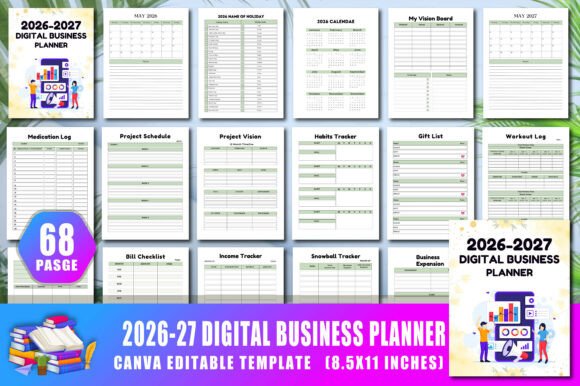
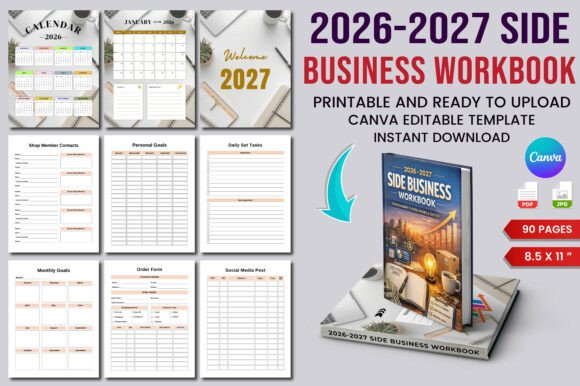
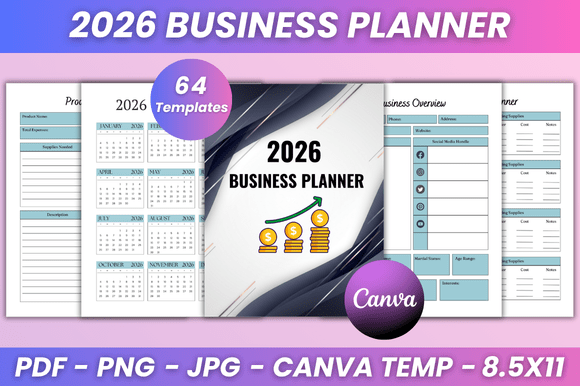
Unlike generic planners, this interior pack is built specifically for business owners, freelancers, marketers, and productivity-minded professionals. It includes over 40 distinct templates covering daily, weekly, monthly, and yearly planning, plus specialized pages for business operations. Every template is 100% editable in Canva, meaning you can change fonts, sizes, colors, layout styles, and even add your own photos. The files come in high-quality print-ready PDF (8.5x11 inches) along with JPG and PNG formats, giving you flexibility for both physical printing and digital use.
The key features are not just a long list—they are interconnected tools that support a continuous planning process. You have a 2026 calendar and monthly planners from January to December, daily plan and reflection pages, weekly planners, goal trackers, campaign trackers, inventory logs, expense and profit trackers, invoices, order forms, and much more. This breadth means you can replace multiple separate notebooks and spreadsheets with one unified system.
How to Integrate This Planner into Your Daily Workflow
Integrating a new planner into an existing routine can feel overwhelming, but the 2026 Business Planner KDP Interior is designed to fit naturally. Start by identifying the pages that are most relevant to your current needs. For example, if you are in the middle of launching a product, begin with the Product Planner, New Product List, and Campaign Tracker. If your focus is financial clarity, open the Budget Spreadsheet, Profit Tracker, and Expense Tracker right away.
Because all files are editable in Canva, you can duplicate pages and rearrange them to match your workflow. Many users print only the sections they need each month, then bind them in a folder or ring binder. Others keep a digital copy on their tablet and use annotation tools to fill in daily tasks. The Belongs To page at the beginning makes it easy to keep physical copies organized if you share the planner with a team or use multiple versions.
Using the Planner Before, During, and After Key Business Activities
This planner is not just a static document—it supports you through the entire lifecycle of a project, decision, or goal.
Before a Project or Task
Use the Business Goal page and Goal Action Plan to clarify what you want to achieve. The Seasonal Idea and Improvement Planner help you brainstorm and refine concepts before you commit resources. If you are planning a new product, the New Product Planner allows you to outline specifications, timelines, and required materials. The Monthly Set Task page gives you a high-level view of what needs to happen in the coming weeks.
During Execution
Once you are in motion, the daily and weekly pages become your command center. The Daily Plan and Daily Reflection pair together perfectly: plan your priority actions in the morning, then reflect on what worked and what did not at the end of the day. The Weekly Plan and My Week pages let you track progress against your monthly goals. The To Do List and Important Meeting pages keep immediate tasks and appointments visible. For ongoing operations, use the Inventory Log, Suppliers List, and Customer Follow Up List to manage logistics and relationships without dropping the ball.
After Completion or for Continuous Review
When a product launches or a campaign ends, turn to the Campaign Tracker, Sales Tracker, Income Tracker, and Profit Loss Tracker to evaluate results. The Return Tracker and Coupons Discounts pages help you understand customer behavior and adjust your strategy. The Invoice and Order Form pages ensure you have a clean record for accounting. Finally, the Post Planner and Password page (for digital assets) support ongoing marketing and security.
Practical Tips for Customizing Your Planner in Canva
The editable Canva link included with every purchase is the gateway to making this planner truly yours. Here are a few workflow-oriented tips:
- Start with the structure. Before you change fonts or colors, decide which pages you will use most. Remove pages that are not relevant to your business type to keep the file lean.
- Match your brand. If you use a specific color palette for your business, update the planner accordingly. Consistent branding makes the planner feel like an extension of your company, not a generic tool.
- Adjust date ranges. The 2026 calendar and monthly planners are fixed to 2026, but you can duplicate them and rename months if you want to use the system beyond a single year. Alternatively, keep the original and add your own yearly overview.
- Combine digital and print. Keep the Canva master file always editable. Print copies as needed, and use the JPG/PNG versions if you want to insert pages into a digital notebook app like GoodNotes or Notability.
- Create a binder system. Print each section on separate paper types (e.g., weekly pages on plain, trackers on heavier stock). Use tab dividers to organize by category: daily, weekly, financial, marketing, etc.
Who Benefits Most from This Planning System
The 2026 Business Planner KDP Interior is built for a wide range of professionals, but it is especially valuable for:
- Freelancers and solopreneurs who need to manage their own schedule, finances, and client follow-ups without a dedicated assistant.
- Small business owners who oversee product development, inventory, sales, and marketing. The product and campaign trackers are particularly useful for e-commerce and retail businesses.
- Marketers and content creators who need to plan posts (Post Planner), track campaign performance (Campaign Tracker), and manage budgets (Monthly Bill Tracker, Expense Tracker).
- Educators and bloggers who juggle multiple projects and want a unified place for ideas, goals, and daily tasks. The Seasonal Idea and Improvement Planner pages support creative brainstorming.
- Productivity enthusiasts who appreciate the structure of daily reflection, goal action plans, and weekly reviews. The system encourages consistent self-evaluation.
Quality, Usability, and Long-Term Value
One concern with many digital planners is print quality and file compatibility. The 2026 Business Planner KDP Interior addresses this by providing three file formats: PDF for clean printing, JPG for easy sharing, and PNG for transparent backgrounds if you want to place elements into other documents. The 8.5x11 inch size is standard for US letter paper, so you can print at home or at a local shop without resizing issues.
Because every template is editable in Canva, the system is future-proof. Need an extra column in the Sales Tracker? Add it. Want to change the Weekly Plan layout from horizontal to vertical? Move the rows. This flexibility means you are not locked into a rigid design—you can evolve the planner as your business grows. The Belongs To page also makes it easy to give customized versions to team members or clients, each with their own name and branding.
Putting It All Together: A Sample Monthly Workflow
Here is how a small business owner might use the planner over a typical month:
- First of the month: Open the Monthly Planner and Monthly Set Task pages. Block out major deadlines, meetings, and product milestones. Review the Business Overview page to stay aligned with quarterly goals.
- Weekly: Every Sunday, fill in the Weekly Plan and My Week pages. List top priorities, scheduled calls, and content to create. Transfer the most important tasks to your To Do List.
- Daily: Each morning, use the Daily Plan to list 3–5 action items. At the end of the day, fill out the Daily Reflection to note what worked and what could be improved.
- Ongoing: As orders come in, update the Order Form and Order Tracker. Log new suppliers on the Suppliers List. Record expenses in the Expense Tracker and income in the Income Tracker.
- Mid-month: Review the Sales Tracker and Profit Tracker to see if you are on target. Adjust the Campaign Tracker or Advertisement Tracker if needed.
- End of month: Use the Profit Loss Tracker and Monthly Bill Tracker to reconcile finances. Plan the next month's goals and product ideas using the Product Planner and Goal Action Plan.
This workflow shows how the planner moves seamlessly from big-picture strategy to daily execution, with all the intermediate tracking and reflection pages supporting each phase.
Final Considerations for Getting the Most Out of Your Planner
To make the 2026 Business Planner KDP Interior a lasting part of your routine, treat it as a living document. Set aside five minutes each morning and ten minutes each evening for planning and reflection. Use the same file across your devices by saving the Canva template and exporting updated versions periodically. If you prefer paper, print a full year at once and store it in a binder—the consistent 8.5x11 size makes it easy to keep neat.
The real strength of this system is that it connects the dots between your day-to-day tasks and your larger business objectives. The Business Goal and Goals Tracker pages keep you focused on what matters, while the operational pages like Inventory Log and Customer Follow Up List ensure nothing falls through the cracks. Whether you are a seasoned entrepreneur or just starting to build your planning habits, this fully editable interior gives you the structure and flexibility to thrive in 2026 and beyond.